We'd like to use analytics cookies to see how the site is used, and marketing cookies to measure our LinkedIn adverts and show them to people who've visited. We only set them if you say yes. Read our cookie policy
Gaussian splats: what they are, and what they could do for highways teams
Highways
23 November 2026 · Dan Branwood
Overview
A photo shows a site from one angle. A Gaussian splat is a 3D record of the site that you can move round on a screen, and you can make one with a phone. This paper explains how splats work, where the technology has got to, what they can't do and where they could help highways teams. It ends with how we've been testing them in Formulate.
A one-minute film that covers the same ground as this article: a photo of a trench, then a Gaussian splat of the same trench. It has on-screen words and music, and no voiceover.
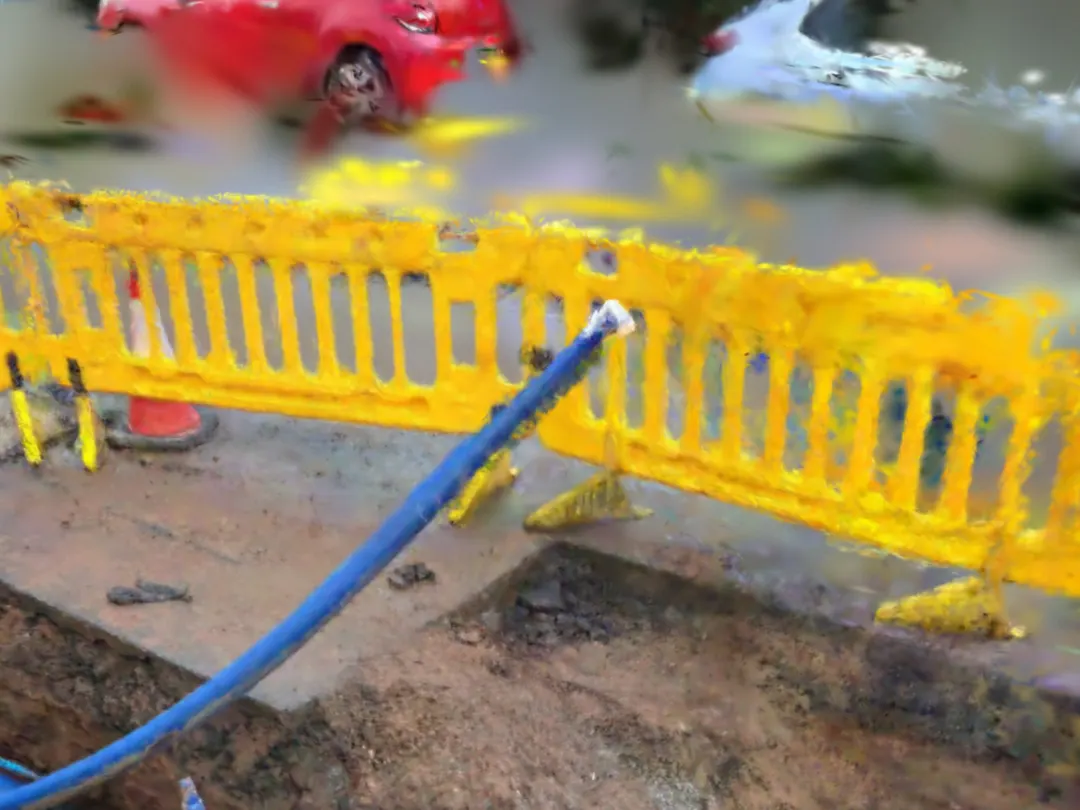
A photo shows a site from one angle. Once the trench is backfilled and the barriers come down, that angle is all anyone has.
A Gaussian splat is different. It's a 3D scene, made from a slow walk round the site with a phone, that you can move round on a screen afterwards. You can look behind the valve, down into the trench, or at the whole site from above, long after you've left.
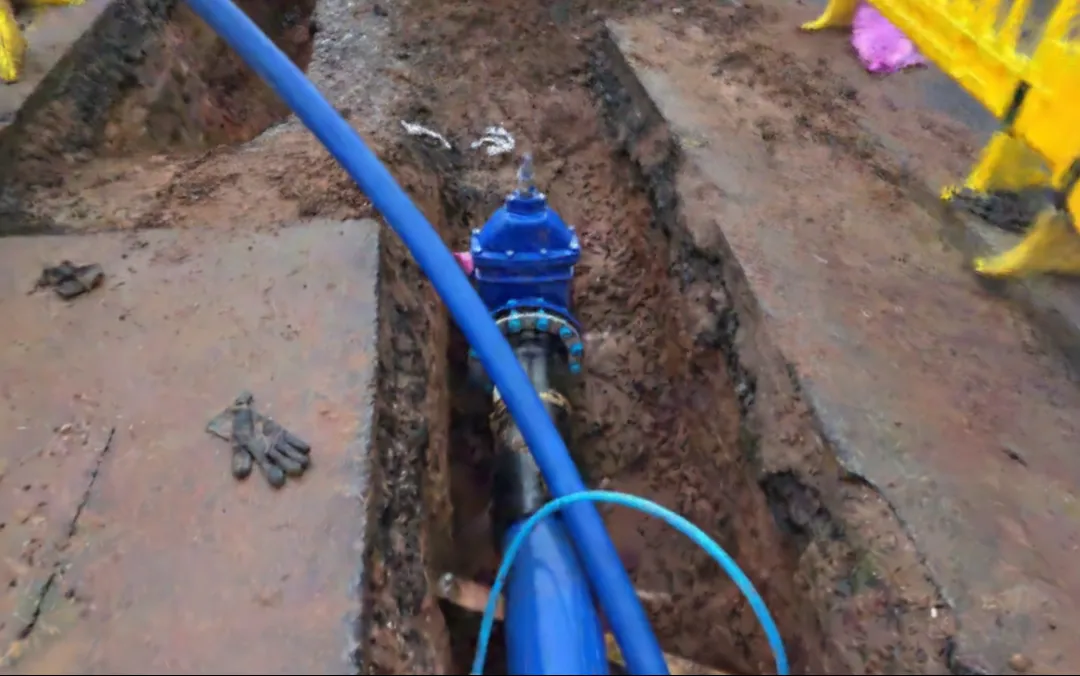
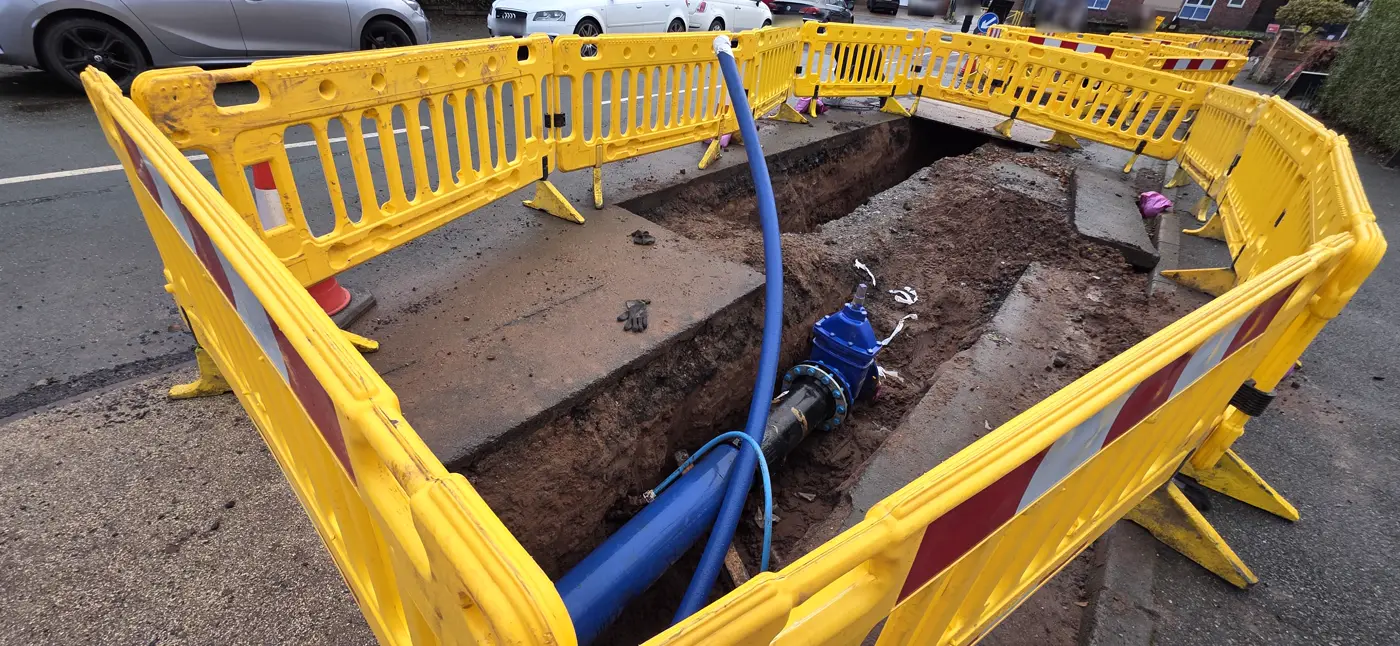
This paper explains what a splat is, how one is made, where the technology has got to, what it can't do, and where it could help highways teams. It ends with what we've been testing in Formulate. Throughout, we use one example: a water main trench we captured with a phone, and a photo of the same trench.
The photo. It's a good record of one view, but you can't see behind the valve or look down into the trench.
What a Gaussian splat is
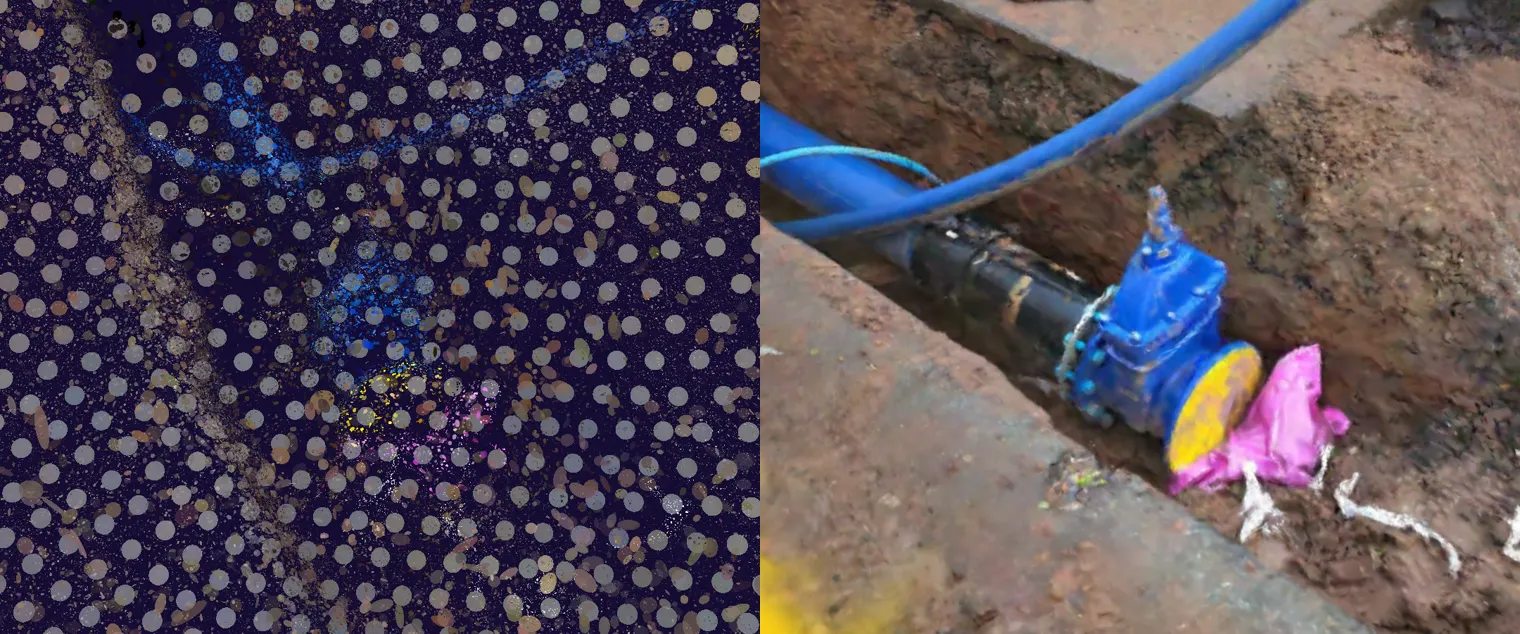
A splat file is a list of small, soft, coloured blobs in 3D space, usually hundreds of thousands of them, sometimes millions. Each blob is a 3D Gaussian: a fuzzy, stretched ball (an ellipsoid) that's densest at its centre and fades out towards its edges. Close up, they look like a cloud of coloured smudges. Drawn together, overlapping and blending, they form the scene.
Left: our splat with each blob shrunk to a dot. Right: the same blobs at full size.
The trench in our splat has 640,194 of them. Each one stores:
What
Numbers
What it does
Position
3
Where the blob's centre is
Scale
3
How far it stretches along each of its three axes, so it can be a ball, a disc or a needle
Rotation
4
Which way it faces
Opacity
1
How solid it is, from clear to opaque
Colour
3 to 48
Its base colour, plus optional terms (spherical harmonics) that let the colour change with the angle you look from, so a shine moves as you move
To draw a view, the viewer sorts the blobs by their distance from the camera, projects each one onto the screen as a soft ellipse, and blends them from front to back. A modern graphics chip does this fast enough to move round the scene smoothly, in a web browser or on a phone.
Where splats came from
In 2020, researchers showed a way to build a 3D scene from a set of photos and draw it from angles nobody photographed. Their neural radiance fields (NeRF) stored the scene inside a neural network, which made each view slow to draw.
In 2023, a team from Inria and the Max Planck Institute for Informatics published 3D Gaussian splatting. It builds the scene from photos in a similar way, but stores the result as explicit blobs rather than inside a network. Their paper reported real-time viewing on a desktop graphics card: 30 frames a second or more, at full HD (1080p).
That's the change that matters for site records. A splat isn't a neural network. It's a list of shapes that your device's graphics chip draws directly, which is why you can open one on a phone or in a browser.
How big the files are
The original research code saves splats as PLY files, at 248 bytes a splat, so our capture would be about 151 MB in that format. Saved as SPZ, an open format published by Niantic under the MIT licence, the same splat is 15.6 MB, about a tenth of the size, which is in line with Niantic's own figure. SPZ gets there by storing each value at a lower precision, grouping similar values together and compressing the result.
For comparison, the phone photo of the same trench is 2.8 MB.
How a splat is made
You need pictures of the site from many positions. With a phone app such as Scaniverse, which we used, that means walking slowly round the site with the camera pointed at it. The software then does four things:
Works out where each picture was taken. It matches features between overlapping pictures, which gives each camera's position and a rough scatter of points in 3D. This step is called structure from motion.
Starts a blob at each point.
Optimises the blobs. It draws the blobs from each picture's position, compares the result with the picture, and nudges every blob's position, shape, colour and opacity to close the gap. It repeats this thousands of times, adding blobs where detail is missing and removing ones that add nothing.
Saves the result as a splat file. Scaniverse can export SPZ, among other formats.
Scaniverse can process a splat on the phone itself. Other tools process on a desktop computer with a graphics card, or in the cloud, which suits larger sites and drone imagery.
The walk is what matters most. The software can only rebuild what the camera saw. In our capture, the trench and the barriers came out sharp, because the walk went right round them. The street beyond, which the camera only glimpsed, is blurred.
A photo and a splat, side by side
Three questions anyone might ask about the trench later:
The question
The photo
The splat
What's behind the valve?
You can't see behind it
Walk round to the far side
How does the trench sit?
Hard to judge from one angle
Look straight down into it
How does it all fit together?
Only this view
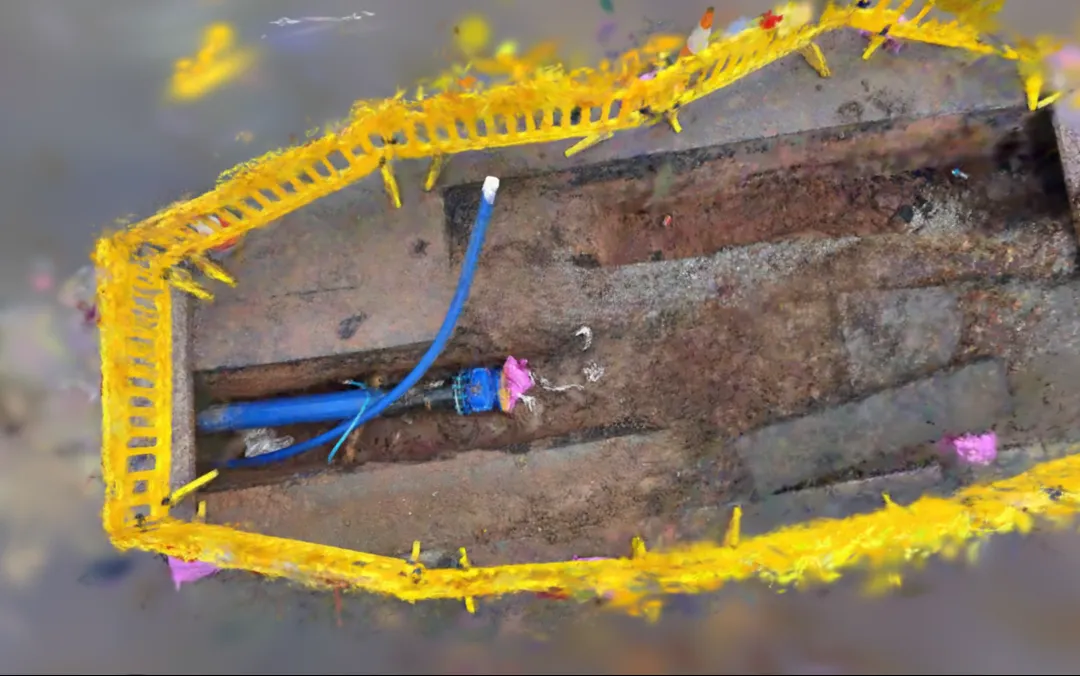
See the whole site from above, barriers and all
The same trench from the far side of the valve, a view the photo can't give.
From above, the whole site at once.
A photo still has strengths. It's quick, small and sharp, and everyone knows how to read one. A splat doesn't replace site photos: it adds the context round them.
Where the technology has got to
As of November 2026:
Research has moved quickly since 2023, on smaller files, sharper geometry, larger scenes and scenes that move. A survey of the field is a good starting point.
A standard file format. In February 2026, the Khronos Group, which looks after the glTF 3D format, announced a release candidate of KHR_gaussian_splatting, an extension for storing splats in glTF. Autodesk, Bentley Systems (which owns Cesium), Esri, Huawei, Niantic Spatial, NVIDIA and XGRIDS contributed to it. The extension's page in the glTF registry now lists it as ratified. It covers the splat data itself; compression, such as SPZ, is left to extensions built on top of it.
Mapping standards. The Open Geospatial Consortium worked with Khronos and others on splats for geospatial data. Cesium says splats will be added to 3D Tiles, the format for streaming large 3D datasets, as part of the proposed 3D Tiles 2.0 community standard.
Mapping and engineering software. Esri added Gaussian splat layers to ArcGIS Pro in version 3.6. Cesium, part of Bentley Systems, supports splats in CesiumJS, Cesium for Unreal and Cesium ion, placed in their real position on the map (georeferenced) so they can be combined with terrain and other map data, and streamed in levels of detail so large datasets stay viewable.
Capture on a phone. Apps such as Scaniverse make a splat from a walk round. Some older phones can't make them.
In highways and infrastructure, research groups are testing splats for road surface condition and bridge inspection. Most of the highways teams we talk to haven't come across one yet.
What splats can't do
A splat isn't a survey. Splats are built to look right, not to measure: their geometry is a by-product. A phone capture's scale and position are only approximate. Don't take measurements, levels or depths from one. Use a survey for that.
It only knows what the camera saw. Anywhere the walk didn't cover is blurred or missing. So is anything hidden from every angle the camera took.
Loose blobs, or "floaters". Stray, see-through blobs can hang in the air, especially outdoors, where sky, changing light and moving things confuse the optimisation.
Long, thin things are hard. Testing by the OGC and its partners flagged antennas, fences, power lines and rail tracks. On a highways site, think barrier rails, sign posts, railings and cables.
Shiny and see-through surfaces. Glass, polished metal and standing water are still hard to rebuild well.
Moving things. Traffic and people moving during the capture can leave smears.
The light is baked in. You see the site as it was lit when it was captured.
People and number plates are captured too. A splat records everything the camera saw. Treat splats as you treat site photos and video under your own data policies.
The tools are still catching up. The glTF extension for splats is new, so check that the systems you use can open a splat before you rely on one.
The files are bigger than photos. Our splat is 15.6 MB; the photo is 2.8 MB.
Where nobody walked, it's blurred: the street beyond the barriers.
Where splats could help highways teams
Most of the value is in the moments when a photo leaves questions:
When
What a splat could add
Before reinstatement
A record of what's in the ground and how it sits, before it's covered: the services, chambers and fittings, and the trench round them
Before work starts
The condition of the footway, kerbs, verges and anything next to the works, from more angles than a photo gives
Before a return visit
The crew, the supervisor or whoever plans the traffic management can look round the site first, and arrive knowing the layout
When the office or the client has a question
Someone who wasn't there can look round the site without a visit
When questions come later
Months on, after a query or a claim, you can go back and look again, from angles nobody thought to photograph
At handover
Context to sit alongside the survey and as-built drawings, not in place of them
What they have in common:
Context, not just a view. You see how things relate to each other, not one framed shot.
You choose the angle later. On site, nobody knows which photo will matter. With a splat, you don't have to.
Made with a phone. A visual record like this needs no specialist kit.
Everyone sees the same site. The office, the client and the next crew look at the same record.
How we've been testing splats in Formulate
We've been testing a question type in Formulate called 3D Splat. It's in testing, not released.
On a form, it takes four steps:
Capture the site with a phone app such as Scaniverse, and export it as an SPZ file.
Attach the file to the 3D Splat question.
Move round the model and pin named tags on what's in it, such as each pipe and fitting.
Submit the form. The 3D file is saved with the submission, so it sits with the rest of the job's record.
It works in the Formulate mobile app and in the back office.
The 3D Splat question in testing: moving round the model, with four tags pinned in it, named by the person filling in the form.
We chose SPZ because it's compact (our 640,194-splat capture is 15.6 MB), it's open, under the MIT licence, and Scaniverse exports it.
We're testing it to learn where a splat earns its place on a form, and where a photo is enough. If you'd like to see it, or you have a site where you think it would help, book a demo. We reply within one working day.
The file sizes and splat count are from our own capture. Sizes are as Windows and Formulate show them (1 MB = 1,048,576 bytes). The PLY size is worked out from the splat count, at the 62 numbers of 4 bytes each that the original research code writes per splat.
Every operations director knows the feeling, because it tends to arrive at the same time every week, usually just as the weekend’s jobs have landed and the Monday morning report is sitting open on screen, and something about the numbers simply doesn’t sit right.
Three decades of supporting mobile workforces have taught us a consistent truth: the businesses that invest in operational resilience during difficult periods are the ones that are still growing when conditions improve.